
Best AI Browser for 2026 (Spoiler: It’s Not What You Think)
So like… I was just minding my own business last month, doing my usual thing managing cloud infrastructure at HostGet, and then BAM. Everyone started losing their minds about AI browsers. Atlas this, Comet that, DIA whatever. And I’m sitting here thinking, “Do we really need another browser?”
But then I actually installed a few of them and spent like two weeks just testing the hell out of them. And okay, I get it now. This is actually different. Like actually actually different. Let me walk you through what I found because honestly, a lot of people don’t understand what makes these things tick.
So What’s The Deal With These Browsers Anyway
Alright so basically I’m used to working with regular Chrome and Firefox, right? You open them, you go to a website, you click around, you’re in control. Pretty simple. That’s how browsers have worked forever.
But these new AI browsers? They’re doing something completely different and I didn’t realize how weird it would feel at first. It’s not like you have ChatGPT open in a tab somewhere. No no no.
The AI is like… built into the actual browser. It’s there watching what you’re doing across all your tabs at the same time. So you’re reading something, you don’t even have to copy paste it into another window, you just ask the AI about it and it already KNOWS what you’re looking at. It’s honestly kind of creepy at first, ngl.
I was doing some research on cloud pricing last week and I was like “hey what was that pricing model I saw on the AWS page” and the AI just immediately knew what I was talking about without me describing it. And I was like… okay that’s actually useful.
So How Do These Things Actually Work
There’s basically three main things happening under the hood:
First one is what they call the sidecar. I don’t know why they call it that but basically the AI is sitting right next to you while you browse. Like imagine you’re driving a motorcycle and your buddy is sitting in the sidecar watching where you’re going. Same idea. The AI sees everything you’re doing but you’re still the one driving. You ask questions and it already knows the context. No more of that annoying copy-paste back and forth.
Second thing is the memory. Okay so normally your browser history is just like… a list of URLs you visited. But with these AI browsers, it’s different. It remembers what was actually ON those pages. Like not just “you visited amazon.com” but it remembers the product you were looking at, the price, the reviews, all that stuff. It’s like a photographic memory of your browsing. You can ask it about something from three days ago and get like a whole summary. That’s actually pretty cool.
Third is what they call agent mode. And okay this is where it gets wild. So the AI doesn’t just help you read stuff anymore. It can actually DO stuff. Like fill out forms, book hotels, interact with websites. You just sit there and watch it work. I tried it once and it was like watching a robot use the internet while I ate lunch. Weird but kind of amazing.
But yeah that’s also where the scary stuff comes in. Which we’ll talk about.
Which Ones Are Actually Good
OpenAI’s Atlas – The One Everyone’s Using
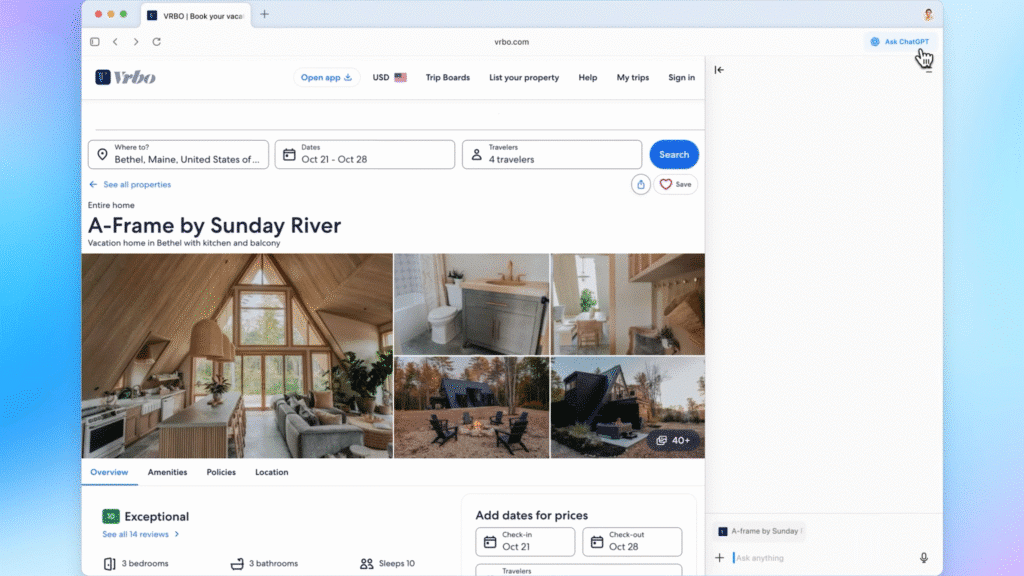
Okay so Atlas is the slick one. Like when you open it up, it just looks clean. ChatGPT is right there waiting for you on a new tab, just like how Google normally has that Google search bar. Makes sense right?
I tested it for like a week just doing normal stuff and honestly? It works really well. The AI understands what I’m looking at, it gives me good summaries, if you’re already using ChatGPT a lot then this is just like… the natural next step. Nothing feels weird or broken.
But here’s the thing that annoyed me – it only works on Mac right now. I had to borrow my roommate’s MacBook to really try it out. If you’re on Windows you’re kinda stuck waiting. That’s actually a pretty big deal for a lot of people.
Perplexity Comet – If You Actually Do Research
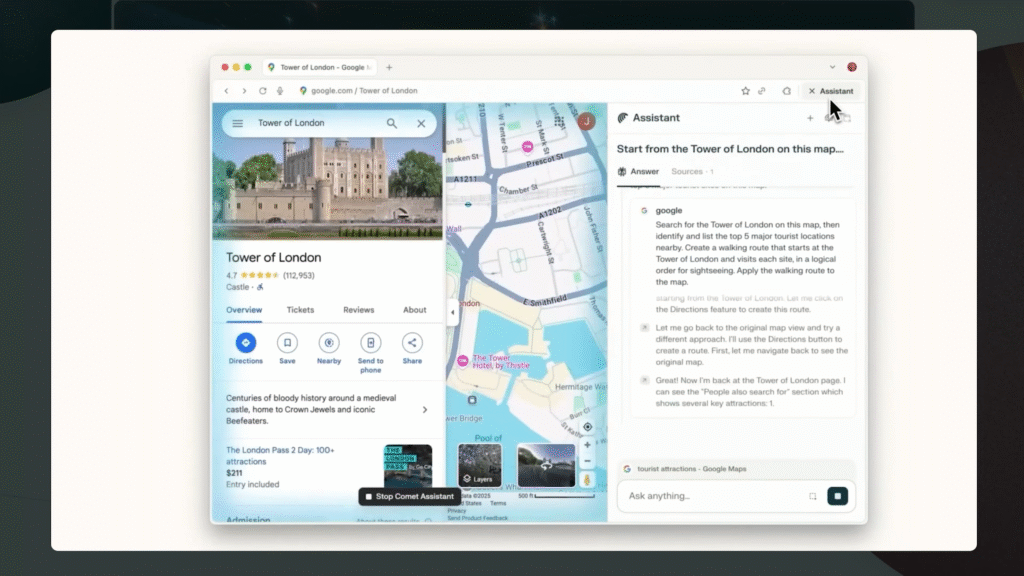
Okay so I use this one a lot more than I expected to. Perplexity’s whole thing is that it gives you sources with every answer, which honestly sounds boring but is actually super useful when you’re trying to find accurate information.
Comet is the same but built into a browser. So like you need to compare cloud hosting prices? It’s got a shopping tool that compares for you. Need help planning a trip? There’s a travel tool. Want to track stocks? Finance tool. It’s not just ChatGPT with different names, these are actually like… separate things built for specific jobs.
I’ve been using it for comparing different SaaS pricing and it saves me a ton of time. Like actually saves time not just “feels like it saves time.”
The thing though? It’s HEAVY. Like it actually uses a lot of your computer’s memory. I was running it on my work laptop which isn’t terrible but it was noticeable. If you have an old computer it’s gonna slow you down for sure. Also the good version costs $200 a month which is… yeah that’s a lot.
Arc’s DIA – The Chill One
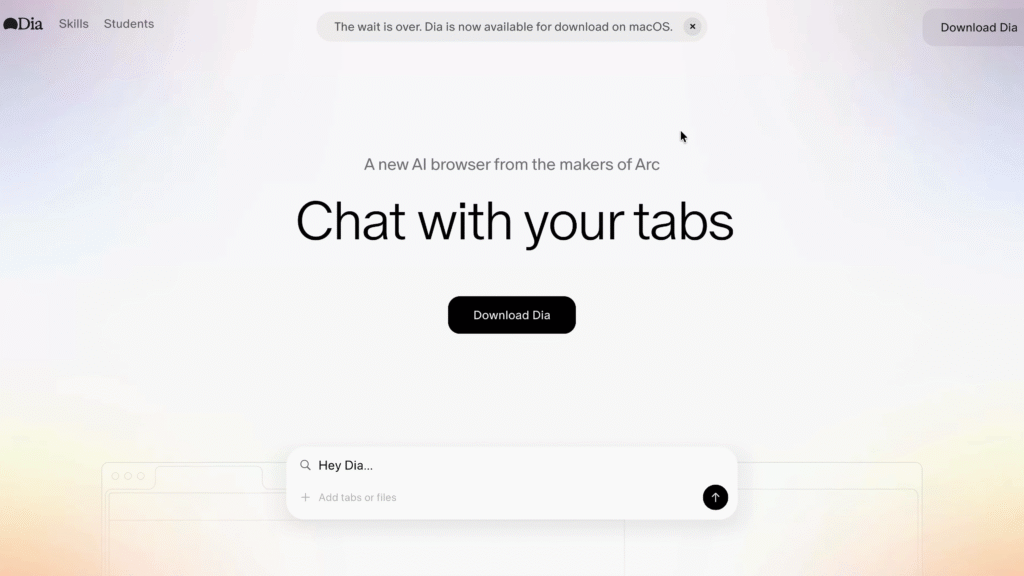
The Browser Company made Arc which a lot of people loved, but then they basically said “nope we’re doing something else now” and pivoted to DIA.
DIA is like… minimalist? It’s just a normal browser with AI when you need it. Nothing crazy. No trying to do everything at once. Just clean and simple.
I’ve been using it on the side and it’s nice if you just want to browse without feeling like the browser is trying to sell you something. If you’re worried about all the agent mode stuff and all that, DIA is like the chill friend who’s not doing too much.
Nimo – The Weird One That Might Be The Future
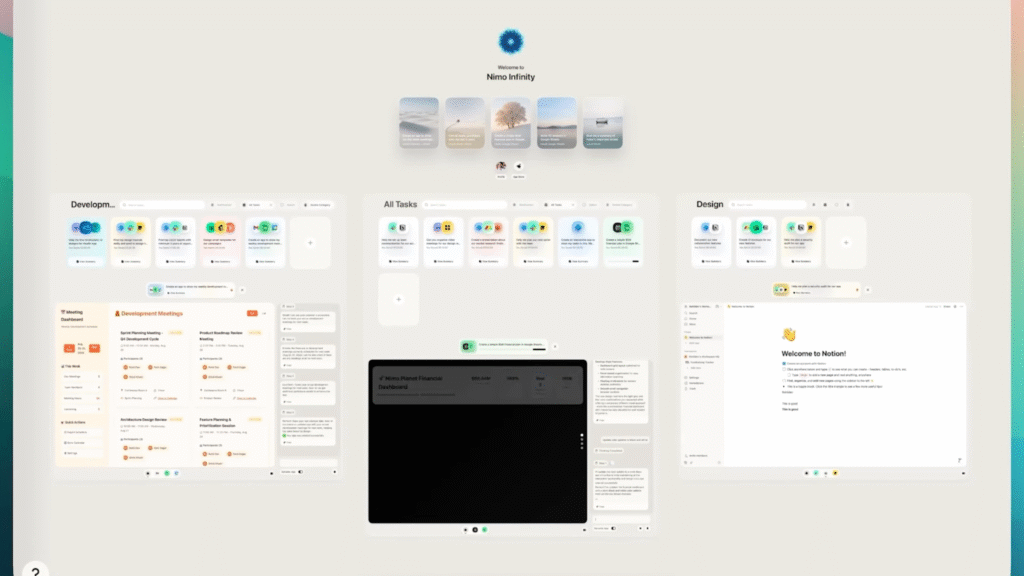
Okay so Nemo is like… I don’t even know if you can call it a browser. It’s weird man. Like it doesn’t have URL bars and tabs like normal browsers. Instead it’s like this canvas thing where the AI makes these cards that combine your apps together.
So like you can tell it “make me a financial dashboard” and it’ll pull data from your Google Sheets, your Notion, your Gmail, and just… build you a custom thing in the browser. It’s kind of insane.
But it’s invite only right now and honestly probably too experimental for most people. But it’s the only one that’s actually like… rethinking what a browser even is. Worth keeping an eye on for sure.
Okay So Now The Scary Part
Real talk though. I work with sensitive data and secure systems. And these browsers honestly scared me a little bit.
There’s This Thing Called Prompt Injection
So basically someone can hide instructions in a website that the AI will read and follow but YOU won’t see. Like they could literally write something in white text on a white background and the AI will read it but your eyes won’t. And then the AI just… does what the hidden instruction says. Which could be like… leak your data or whatever.
OpenAI’s own security guy literally said this is still something they don’t have figured out. Like they ADMITTED it’s not solved. Perplexity said the same thing. These are companies trying to build this stuff and they’re still like “yeah we don’t know how to stop this yet.”
Some security researchers tested Perplexity’s browser and like… tricked it into doing bad stuff. And even after Perplexity tried to fix it, people could still do it. As someone who manages infrastructure at HostGet where security is literally everything, this made my stomach hurt a little bit.
The Privacy Thing
Okay so these browsers are watching literally everything you do. Everything. And yeah they say you can turn off the AI learning from your data and stuff, but like… you’re still storing everything in their system.
Your emails, your passwords, your payment info, your browsing history, everything. And you don’t own that AI memory. So even if you download your data, you don’t really know who can access it. Think about what you’re trusting them with. That’s a lot of stuff.
Why They Can’t Just Fix It
The really frustrating part? These aren’t bugs they can patch. It’s like… fundamental to how the AI works. As long as the AI reads websites and can do stuff based on what it reads, bad people will find ways to trick it.
It’s like a never-ending game where hackers come up with new tricks and the companies try to block them, but then hackers come up with new tricks again. They’re trying stuff like red teaming and better training, but like… these are just band-aids. Not real solutions.
So Should You Actually Use One
Honestly? Depends what you’re doing. If you’re just like reading tech blogs, doing research, learning about stuff? Go ahead test them out. They’re actually pretty cool for that. I use them for learning about new cloud stuff all the time.
But if it’s anything important? Your bank account, your work email, anything sensitive? I’d wait. I know that sounds boring but like… I’ve seen too much in my career to trust something that’s still being figured out.
I test them all the time because I want to stay ahead of the curve and understand where tech is going. But for actual important stuff? I use regular Chrome and I keep my security tight.
Real Talk Though
Like I’m genuinely excited about where this is heading. The idea of an AI that understands your whole digital life and can actually help you? That’s cool. That’s the future. But we’re not there yet. We’re like… in the early stage where it looks amazing but there’s a bunch of stuff that still doesn’t work right.
So yeah, download them, play around, see which one you like. But don’t put all your important stuff in them just yet. Give it a year or so, see how the security stuff develops, then decide.
What am I using? Honestly I rotate between Atlas when I’m just browsing, and Comet when I’m doing actual research. DIA is nice when I want something lightweight. But everything work-related? Still Chrome. Can’t mess with that. You trying any of these yet? Let me know what you think.
Okay so which one should I actually download right now?
Honestly? If you just want something that works and you’re on Mac, grab Atlas. It’s the most polished and nothing feels broken. But if you’re doing actual research or comparison work, Comet is better even though it’s heavier. And if you want something lightweight just for browsing, DIA is solid. Don’t overthink it you can literally install them all for free and try them out.
Is it true that AI browsers can steal my password?
So this is the thing that keeps me up at night. They’re not gonna steal your password on purpose, but the security architecture is still being figured out. The prompt injection stuff means someone could potentially trick the AI into sending data somewhere.
Are these faster than Chrome?
Nope. If anything they’re slower because they’re doing more stuff in the background. The AI is constantly analyzing what you’re looking at, so it uses more memory and CPU. I noticed this especially with Comet. Atlas felt pretty smooth though.