
How to Become a Cloud Engineer: My 60-Day Roadmap (No BS)
Hey, so you’re thinking about getting into cloud engineering? Cool. I’m Likhon, and honestly, I’ve walked this path. I’m working as a Senior Operations Executive at HostGet Cloud Computing Company now, but before that I was exactly where you are – clueless about cloud, lots of courses done, nothing to show for it.
Let me be straight with you. The job market right now? It’s tough. Companies are laying people off, and if you don’t have actual experience, you’re going to struggle. But here’s the thing – it’s not impossible. I did it. A lot of people I know did it. You can too if you stop doing what doesn’t work.
What Doesn’t Work
First, let me tell you what I did wrong. I bought every course. Seriously. I spent money on Udemy courses, took online certifications, watched YouTube videos until my eyes hurt. Guess what? Nobody cared. No recruiter called me because I had certificates. They only started calling when I had actual projects on GitHub showing I could do the work.
That’s the gap nobody talks about. You finish a course, feel good about yourself for like a week, then what? You’re back to square one. You have knowledge but nothing to prove you can use it. So here’s what you actually need to do.
Start With The Basics (Before You Touch Cloud)
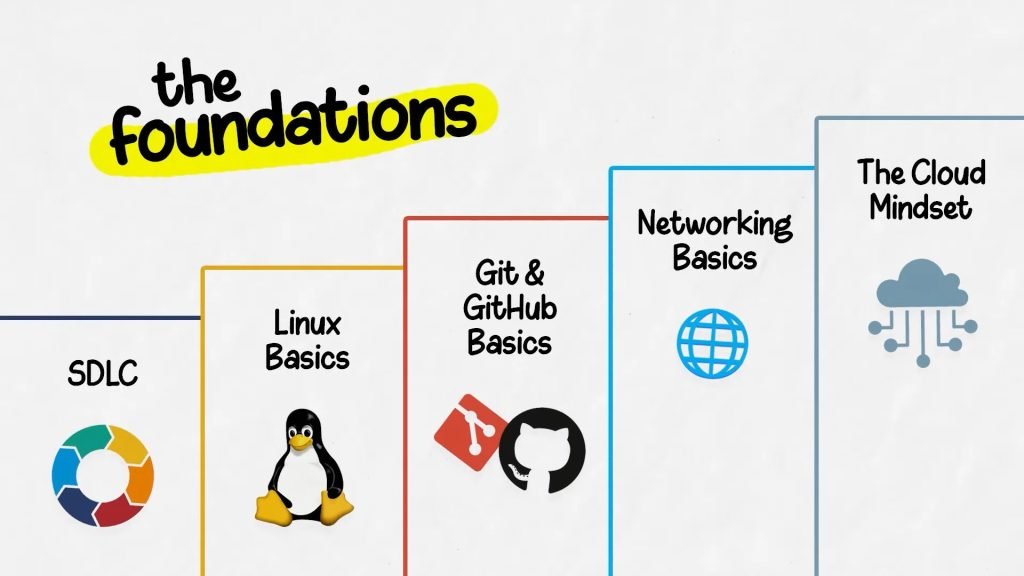
Before jumping into AWS or any cloud, get these five things down. Don’t skip this part.
Linux. You’re going to live in the terminal. Period. Spend five hours on this. Do the Bandit game or CodeCloud labs. Learn to navigate, understand permissions, know what SSH is. I know it sounds boring, but this will save you later when things break.
GitHub. Learn branching. Learn commits. Actually understand what you’re doing instead of just pushing code. This is how you’ll work every single day.
Networking basics. IP addresses. DNS. Ports. Why systems can’t talk to each other sometimes. Read about OSI model. Yeah, it’s annoying, but it matters when you’re debugging why your deployment isn’t working.
SDLC. Software Development Life Cycle. How does an idea become code and then get into production? This framework will make everything else make sense.
Cloud concepts. IaaS, PaaS, SaaS. What’s the difference? When would you use one over the other? Spend time understanding this before you sign up for an AWS account.
Week 1: Your First Cloud Account
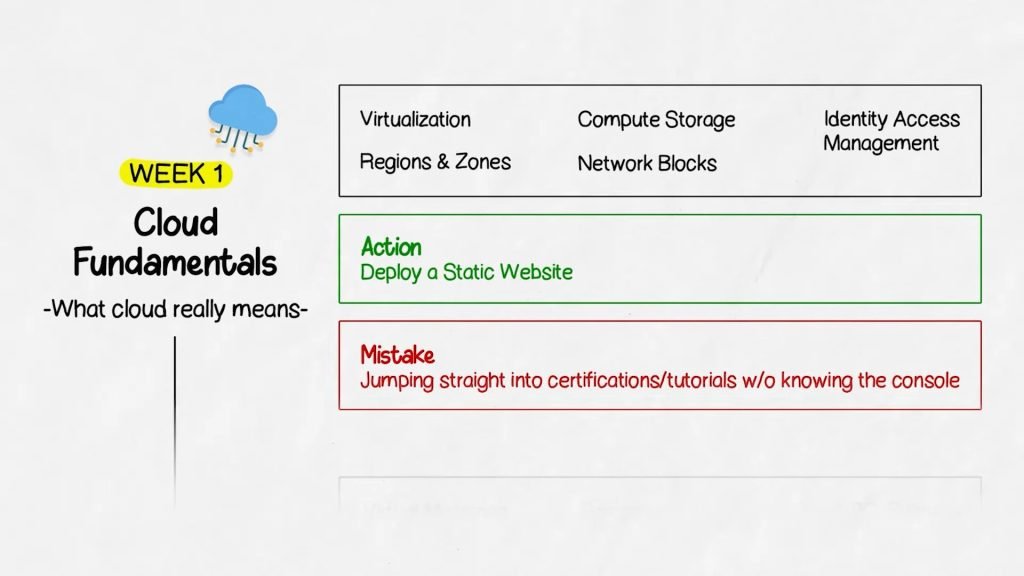
Create a free AWS account. Not Azure, not GCP. AWS. Why? Because it has the biggest community and when you get stuck, there are answers everywhere. Here’s what you’re learning this week: regions, zones, compute, storage, network, IAM. Don’t try to be an expert. Just understand what these things do.
Follow the AWS tutorials on their free tier. Deploy a static website. Literally just a simple HTML page on S3 and CloudFront.
This is important – when you see that page live for the first time, something changes in your head. You realize you actually did something. Cloud isn’t magic anymore. It’s real. You just deployed something on the internet. That feeling matters.
Spend 5-6 hours on AWS Cloud Practitioner learning material. Their free courses are actually good. What kills people here? They try to learn everything at once or they never actually log into the console. You have to click around. You have to see what buttons do. You have to mess up and figure it out.
Week 2: Get On A Server
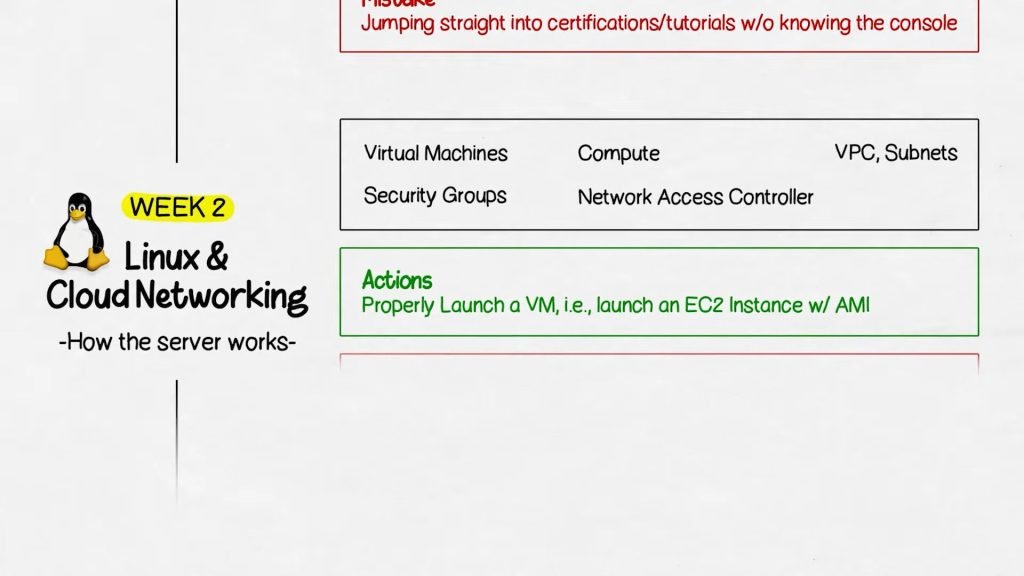
Launch an EC2 instance. This is just a Linux computer you’re renting from AWS. Pick an AMI (operating system template). Create it in a VPC with a subnet. Set up security groups so you can actually access it. Open port 22 for SSH and port 80 for web traffic.
SSH into it. Install Nginx. Create a basic index.html file. Hit the public IP and see your page. This is basic, but it’s real. You’re not copying anything from tutorials. You’re thinking through what each step does.
Then read the logs. Seriously. When things don’t work, the logs will tell you why. That’s where actual learning happens.
Week 3: Stop Clicking, Start Coding Infrastructure
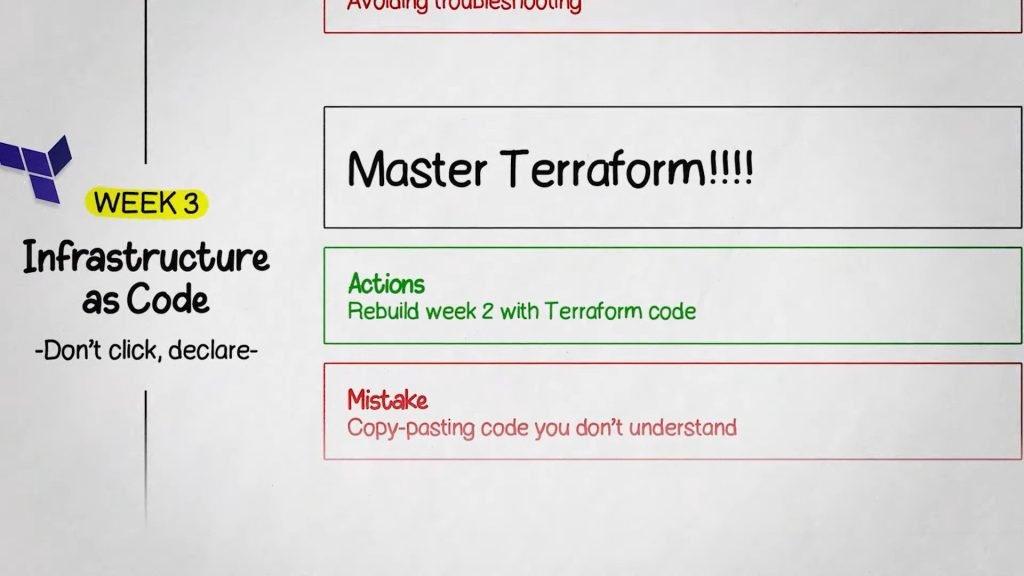
Learn Terraform. This is the game changer. Instead of clicking around in the console, you write code that says “I want this infrastructure.” Terraform builds it for you. Every single time, same result. Learn these commands: init, plan, apply, destroy.
Write a main.tf file. Create a VPC, a subnet, an EC2 instance, an S3 bucket. All in code. Then run terraform apply and watch everything appear without you touching the console.
Why does this matter? Because now if something breaks in one region, you copy your Terraform files to another region and boom – same infrastructure, ready to go. That’s disaster recovery. That’s what companies actually need. Don’t copy-paste configs. Write something from scratch even if it’s wrong. Break it. Fix it. That’s learning.
Week 4: Docker and Kubernetes
Docker packages your app with all its stuff in a box. Kubernetes manages those boxes. Simple as that. Learn Docker first. Create a Dockerfile for a basic Node or Python app. Build an image. Run a container. Get your head around the difference between an image and a container.
Then learn Kubernetes. Pods. Deployments. Services. These are the things you create to tell Kubernetes what you want. Create a managed Kubernetes cluster on AWS (EKS). Don’t try to set up Kubernetes yourself yet. Use the managed version. Deploy your Docker app to it.
Don’t just copy YAML files from videos. Write it yourself. Make mistakes. Debug. That’s how you actually learn.
Week 5: Automate Everything – CI/CD
Every time you push code, you want it to automatically build, test, and deploy. That’s CI/CD. Pick one tool. I’d say GitHub Actions because it’s simple and it’s free. Not Jenkins, not GitLab. Just one. Master it.
Create a pipeline. Push code. It builds a Docker image automatically. Runs tests. If tests pass, deploys to your Kubernetes cluster or an EC2 instance. Keep it simple. One repo. One pipeline. One target. Don’t make it complicated.
Week 6: Security Actually Matters
Create a non-admin user in your AWS account. Give them limited permissions – like only read S3, nothing else. Log in as that user and see what you can and can’t do. That’s least privilege. That’s security.
Learn IAM. Authentication versus authorization. Who gets access to what. Look at KMS, Secrets Manager, audit logs. These tell you who did what.
Week 7: Monitoring – See Problems Before Users Do
Prometheus collects metrics. Grafana shows you pretty graphs. Learn both. Metrics are numbers – CPU, memory, requests. Logs are events. Alerts tell you when something’s wrong. Set up monitoring for the app you deployed. Make sure you can actually see what’s happening.
Week 8: Show Your Work
Build 3-4 projects. Make sure they’re connected, not random stuff. One project – provision infrastructure with Terraform. One project – Docker app with CI/CD pipeline to Kubernetes. One project – add monitoring to something. One project – make it all talk together.
Push everything to GitHub. Write good README files. Explain what you did and why. This is your portfolio. This is what gets you hired.
How I Actually Got My Job
I had three solid projects. When recruiters looked at my GitHub, they could see I actually knew how to do this stuff. Not just theory. Real, deployed, working code.
That’s what mattered. Not certificates. Not courses completed. Projects. I worked every single day for 8 weeks. Some days 30 minutes, some days 4 hours. But consistent. That matters too. When you interview, people can tell if you actually put in the work.
Real Timeline
Can you do this in 60 days? Yes. Will it be hard? Yeah. You’re looking at 20-30 hours a week minimum. That’s doable for most people though. Not every day has to be 4 hours. Some days just an hour. But you have to show up.
What Actually Matters
Stop trying to be an expert in everything. Focus on doing things. Real things. Deployed things. Understand how pieces connect. Why IAM matters. Why Terraform saves time. Why monitoring prevents disasters. That systems thinking is what separates someone who knows tools from someone who can actually do the job.
Build in public. Tell people what you’re doing. Share your projects. That visibility helps. And honestly? Stop overthinking it. Just start. Sign up for AWS. Deploy something. Make it bigger. Add more pieces. That’s how you learn.
I went from knowing nothing to working as a Senior Operations Executive at a cloud company. You can absolutely do this. Now go build something.