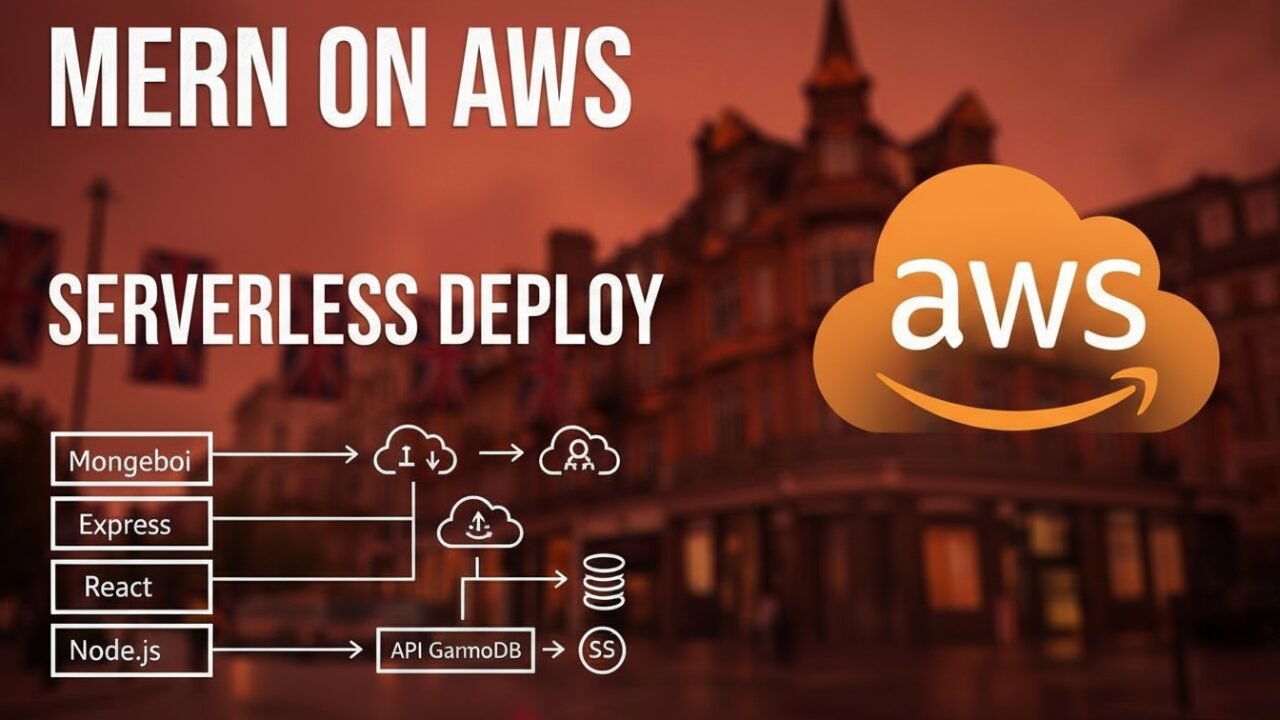
Deploying MERN Stack on AWS with Serverless Architecture
So like three years ago I was building this ecommerce platform with React, Node, and MongoDB. Everything was going fine until we got featured on some tech blog and suddenly our traffic went from like 100 visitors a day to 50,000.
I was managing EC2 instances like a madman. Scaling up servers at midnight. Praying nothing broke before I could get back to it the next morning. It was hell honestly. That’s when my friend told me to stop being stupid and just use Lambda.
I was skeptical because everyone talks about cold starts being this terrible thing. But I decided to give it a shot anyway. Best decision I ever made. Within two weeks I had my entire app running on serverless. No more managing servers.
No more late night panic attacks. The traffic could go to a million requests tomorrow and I literally wouldn’t have to do anything. AWS just handles it. This guide is literally just me walking you through exactly how I did it. All the mistakes I made.
All the things I figured out the hard way. All the optimizations that actually work. This isn’t some polished AWS tutorial. This is just me being honest about what worked and what didn’t. You’ll need an AWS account. Some basic Node and React knowledge. Let’s go.
Why I Switched to Serverless
Before Lambda I was dealing with constant server management. I had an EC2 instance. It cost me like 50 bucks a month whether my app was getting traffic or sitting idle. Then the traffic would spike and I’d be scrambling to spin up new instances. Autoscaling groups were a nightmare to configure. Half the time I’d overprovision and waste money. The other half I wouldn’t provision enough and my site would get slow.
With Lambda it’s just different. You don’t manage anything. You write code. AWS runs it. If you get 10 requests or 10 million requests, AWS just handles it. You only pay for what you actually use. That month I got featured? My bill went up maybe 8 dollars. Before that it would have gone up hundreds.
The other thing is I just wanted to write code. Not manage infrastructure. With EC2 I spent probably 30 percent of my time dealing with deployment and scaling nonsense. With Lambda I spend like 5 percent of my time on that stuff.
Yeah cold starts are real. Your Lambda might take 500ms to start up sometimes. But honestly? Most people don’t care. Your users aren’t timing response times to the millisecond. They just want the app to work.
Getting Started With AWS
Alright so first thing you do is get an AWS account. Go to their website. Create one. You get 12 months of free tier which is plenty to build and test an entire app without paying anything.
Don’t use your root account for development. That’s dumb. I know because I did it at first. Create an IAM user instead. Go to IAM in the console. Create a new user. Give it programmatic access. Attach permissions for Lambda, API Gateway, S3, Amplify, all that stuff.
Then download the AWS CLI. This is how you deploy from your computer.
bash
brew install awscliIf you’re on Windows or Linux just google it.
Configure it with your AWS credentials:
bash
aws configureIt asks for your access key and secret key. Put those in. Pick a region near you. I use us-east-1 because that’s where I am. Done.
Also install SAM CLI. This is AWS’s tool for running your Lambda functions locally before you deploy them. Actually testing on your computer instead of deploying to AWS every time to see if it works is a lifesaver.
bash
brew install aws-sam-cliBreaking Down Your Express App
This was the part that actually took me some time to figure out. You can’t just take your entire Express server and throw it at Lambda. It doesn’t work like that.
With Express you have this one big server that listens for requests. It stays running all the time. Your middleware runs. Your routes run. You send a response back.
Lambda is completely different. Your code starts up when someone makes a request. It runs. It stops. Next request, it starts over.
So I had to break my Express app into separate functions. Each function handles one job. One function handles user creation. One handles getting posts. One handles authentication. Totally different way of thinking about it.
My Express route was like this:
javascript
app.post('/api/users', async (req, res) => {
  const { name, email } = req.body;
  const user = await User.create({ name, email });
  res.json(user);
});
For Lambda I had to write it like this:
javascript
exports.handler = async (event, context) => {
  const body = JSON.parse(event.body);
  const { name, email } = body;

  try {
    if (!name || !email) {
      return {
        statusCode: 400,
        body: JSON.stringify({ error: 'Need name and email' })
      };
    }

    await connectDB();
    const user = await User.create({ name, email });

    return {
      statusCode: 201,
      body: JSON.stringify(user)
    };
  } catch (error) {
    console.error(error);
    return {
      statusCode: 500,
      body: JSON.stringify({ error: 'Failed to create user' })
    };
  }
};
No Express. No middleware. No res.json(). Just a function that gets called with an event object. You pull out what you need and return a response object with a status code and body.
The event object has everything from the HTTP request. The path. The method. The headers. The query parameters. The body. Everything.
Dealing With MongoDB
This was where I ran into real problems at first. Lambda spins up and shuts down constantly. Every time it spins up you need to connect to MongoDB. Creating a connection is expensive. Opens a socket. Authenticates. Takes time.
So I figured out you need to reuse connections. Create the connection once and use it for subsequent requests.
I created this utility that handles it:
javascript
const mongoose = require('mongoose');

let db = null;

async function connectDB() {
  if (db && db.connection.readyState === 1) {
    return db;
  }

  db = await mongoose.connect(process.env.MONGODB_URI, {
    useNewUrlParser: true,
    useUnifiedTopology: true,
    serverSelectionTimeoutMS: 5000,
  });

  return db;
}

module.exports = { connectDB };
First time you call this it creates a connection. Second time you call it, it checks if the connection is still alive. If it is, it just returns it. If not, it makes a new one.
Then in every Lambda handler I do:
javascript
context.callbackWaiteEmptyEventLoop = false;
await connectDB();
That first line tells Lambda don’t wait for everything to finish before shutting down. Just shut down. That second line connects to the database.
I use MongoDB Atlas for the database. It’s their cloud hosted MongoDB. You don’t manage anything. It scales automatically. Perfect for serverless.
Actually Deploying to Lambda
So I create a template.yaml file. This tells AWS how to set everything up:
yaml
AWSTemplateFormatVersion: '2010-09-09'
Transform: AWS::Serverless-2016-10-31

Globals:
  Function:
    Timeout: 30
    Runtime: nodejs18.x
    Environment:
      Variables:
        MONGODB_URI: !Ref MongoDBUri

Parameters:
  MongoDBUri:
    Type: String
    NoEcho: true

Resources:
  MERNApi:
    Type: AWS::Serverless::Api
    Properties:
      StageName: prod
      Cors:
        AllowMethods: "'GET,POST,PUT,DELETE'"
        AllowHeaders: "'Content-Type,Authorization'"
        AllowOrigin: "'*'"

  UserFunction:
    Type: AWS::Serverless::Function
    Properties:
      CodeUri: functions/
      Handler: users.handler
      Events:
        CreateUser:
          Type: Api
          Properties:
            RestApiId: !Ref MERNApi
            Path: /users
            Method: POST
        ListUsers:
          Type: Api
          Properties:
            RestApiId: !Ref MERNApi
            Path: /users
            Method: GET

Outputs:
  ApiEndpoint:
    Value: !Sub 'https://${MERNApi}.execute-api.${AWS::Region}.amazonaws.com/prod'
Then I run:
bash
sam build
sam deploy --guided
First time it asks me questions. After that it just deploys automatically. I get back a URL. That’s my API.
So simple. My entire backend is deployed. It scales automatically. I don’t think about it anymore.
Deploying Your React Frontend
For React I use AWS Amplify. Honestly it might be the easiest deployment I’ve ever done.
You push your code to GitHub. You go to AWS Amplify console. You click create app. You pick GitHub. You connect your account. You pick your repo. You pick your branch. Amplify figures out it’s a React app. You click deploy.
That’s it. Your app is live. Every time you push to main it automatically redeploys. Takes like 2 minutes to set up the first time and then you literally never touch it again.
Amplify builds your React app. Uploads the files to S3. Sets up CloudFront so it’s served globally. Gets you an SSL certificate. Handles everything. I don’t have to think about any of it.
Making Database Queries Actually Fast
In serverless every millisecond costs you money. Your execution time directly affects your bill. So I learned to write really efficient queries.
First thing I did was add indexes to my MongoDB collections. If I query by email a lot, I add an index:
javascript
db.users.createIndex({ email: 1 });That alone made queries like 100x faster.
I also stopped fetching all the fields when I only needed a few:
javascript
// I was doing this, getting everything
const user = await User.findById(id);

// I changed to this, only get what I need
const user = await User.findById(id).select('name email');
The other thing I did was avoid the N plus one query problem. I had this code where I’d fetch a bunch of posts and then loop through and get the author for each one:
javascript
const posts = await Post.find();
for (let post of posts) {
  post.author = await User.findById(post.userId);
}
That’s 101 queries if you have 100 posts. So dumb.
I changed it to use population:
javascript
const posts = await Post.find().populate('userId', 'name email');That’s 2 queries now. So much faster. So much cheaper.
These things alone cut my Lambda execution time in half. Which means my bill is half.
Security Stuff
I’m not a security expert but I learned some basic things the hard way.
Don’t hardcode your secrets in your code. Use environment variables:
yaml
Environment:
  Variables:
    MONGODB_URI: !Ref MongoDBUri
    JWT_SECRET: !Ref JWTSecret
Pull those from AWS Secrets Manager or pass them when deploying.
Validate everything that comes from the user. Every input. Every request. Don’t trust the client:
javascript
if (!email || !email.includes('@')) {
  return {
    statusCode: 400,
    body: JSON.stringify({ error: 'Invalid email' })
  };
}
Set up CORS properly. Don’t just allow everything from everywhere:
yaml
Cors:
  AllowOrigin: "'https://myapp.com'"
  AllowMethods: "'GET,POST'"
Specify your actual domain instead of allowing asterisk.
Watching Your App
CloudWatch is how you see what’s happening with your app. Every log message from your code shows up there. Every error.
I log important things:
javascript
console.log('User created:', user.id);
console.error('Database error:', error.message);
Then I go to CloudWatch and look at the logs when something goes wrong.
I also look at the metrics. Invocations. Errors. Duration. If I see error spikes I know something’s broken.
Problems I Hit
Cold starts happen sometimes. Your Lambda starts up and takes 500ms. Then the next request is 50ms. That’s just how it is. I don’t really care because my users don’t care. They just want the app to work.
MongoDB connection issues suck. Your Lambda can’t connect to MongoDB. Usually it’s because your IP isn’t whitelisted in Atlas. I had to go into Atlas security settings and add my Lambda’s IP. Or just allow 0.0.0.0/0 for development.
CORS errors from the frontend are annoying. Your React app makes a request and the browser blocks it. I had to debug my CORS settings in API Gateway. Make sure the right domains and methods are allowed.
Lambda timeouts. You write code that takes too long and Lambda kills it after 30 seconds. I had to increase the timeout in my template. Or optimize the code.
A Real Example
Let me walk you through a simple blog API I built.
My backend folder looks like this:
backend/
├── functions/
│   └── posts.js
├── models/
│   └── Post.js
├── utils/
│   └── db.js
├── template.yaml
└── package.json
My Post model:
javascript
const mongoose = require('mongoose');

const postSchema = new mongoose.Schema({
  title: String,
  content: String,
  author: String,
  createdAt: { type: Date, default: Date.now }
});

module.exports = mongoose.model('Post', postSchema);
My Lambda function:
javascript
const { connectDB } = require('../utils/db');
const Post = require('../models/Post');

exports.handler = async (event, context) => {
  context.callbackWaiteEmptyEventLoop = false;

  try {
    await connectDB();

    if (event.httpMethod === 'GET') {
      const posts = await Post.find().sort({ createdAt: -1 });
      return {
        statusCode: 200,
        body: JSON.stringify(posts)
      };
    }

    if (event.httpMethod === 'POST') {
      const { title, content, author } = JSON.parse(event.body);

      if (!title || !content) {
        return {
          statusCode: 400,
          body: JSON.stringify({ error: 'Missing fields' })
        };
      }

      const post = await Post.create({ title, content, author });
      return {
        statusCode: 201,
        body: JSON.stringify(post)
      };
    }

    return {
      statusCode: 405,
      body: JSON.stringify({ error: 'Not allowed' })
    };

  } catch (error) {
    console.error(error);
    return {
      statusCode: 500,
      body: JSON.stringify({ error: 'Server error' })
    };
  }
};
That’s it. Deploy it and you have a working API. It scales automatically. You pay pennies.
Automated Deployment
I set up GitHub Actions so every time I push code, tests run and the app deploys automatically.
Create .github/workflows/deploy.yml:
yaml
name: Deploy

on:
  push:
    branches: [main]

jobs:
  deploy:
    runs-on: ubuntu-latest

    steps:
      - uses: actions/checkout@v2

      - name: Deploy backend
        run: |
          cd backend
          sam build
          sam deploy --no-confirm-changeset
        env:
          AWS_ACCESS_KEY_ID: ${{ secrets.AWS_ACCESS_KEY_ID }}
          AWS_SECRET_ACCESS_KEY: ${{ secrets.AWS_SECRET_ACCESS_KEY }}
Push to main and it automatically deploys. You don’t do anything.
Cost Reality
My Lambda costs are honestly stupid cheap. I get like 1 million requests per month and it costs me like one dollar. Plus maybe 4 dollars for API Gateway. Total bill is like 5 to 10 dollars a month.
Before I was paying 50 bucks minimum for the EC2 instance. Now if my app suddenly gets viral and gets a million requests, my bill goes up maybe 10 dollars. With EC2 I’d have to panic buy new instances for hundreds of dollars.
What I Wish I Knew
When I first started I wasted time trying to make my Express server work on Lambda. Just doesn’t work. You have to rewrite it as separate functions.
I also didn’t understand connection pooling at first. I was creating a new database connection on every request. Made everything slow and expensive. Reusing connections cut my costs in half.
I thought cold starts would be terrible. They’re really not. Happens sometimes but my users don’t care.
I didn’t monitor CloudWatch enough at first. Now I check it regularly. Caught a query that was running way too slow and optimized it.
My Final Thoughts
Serverless isn’t perfect. But for me it’s way better than EC2. I don’t manage infrastructure. I don’t worry about scaling. I write code and it works. Traffic can spike and I don’t care. I only pay for what I use. Three years later I still use this setup for new projects.
It just works. My friends asked me why I’m not using Heroku or other platforms and honestly Lambda is cheaper and more flexible. If you’re still using EC2 for small to medium apps, you’re making your life harder than it needs to be. Try serverless.
You’ll probably never go back. Start with the free tier. Deploy something stupid. Break things. Learn. The best way to understand this stuff is to actually do it. That’s it. Go deploy your MERN app to Lambda. You got this.