Best WordPress Event Calendar Plugins: 5 Top Choices (2026)
Okay, so can we talk about how frustrating WordPress event calendars are? Like, seriously. I’m Likhon Hussain, and I work as a Senior Operations Executive at HostGet Cloud Computing Company. Fancy title aside, what that really means is I spend way too much time fixing WordPress sites and dealing with clients who are tearing their hair out because their event calendar looks like it’s from 2010 or just straight-up broke after the last update.
Last month, this client calls me – super stressed – because their event registration system crashed right before their biggest workshop of the year. And I’m sitting there thinking, “Why is this still such a mess in 2026?” WordPress can do literally everything else, but events? It’s like nobody got the memo.
So I did what any slightly obsessive cloud engineer would do. I canceled my weekend plans (my wife wasn’t thrilled), grabbed way too much coffee, and tested every major event plugin I could find. Not just clicking around for five minutes – I mean actually building real event sites, breaking things, fixing them, and seeing what holds up under pressure.
Here’s what I found out. Spoiler: some of these plugins are amazing, and some… well, let’s just say I have opinions.
Why This Even Matters (My Rant)
Before I jump into the plugins, let me explain why this whole thing bugs me so much. WordPress is incredible, right? You can build literally anything with it. E-commerce stores, membership sites, entire social networks. But then someone asks, “Hey, can we just show our upcoming events in a calendar?” and suddenly it’s like… crickets.
The default WordPress setup doesn’t have events. At all. You’ve got posts and pages, and that’s basically it. So people try to hack it – they use blog posts with categories, or they embed Google Calendars, or worse, they manually update an HTML table every time something changes. I’ve seen it all, and honestly? It makes me want to scream.
Your visitors don’t want to leave your site to check a Google Calendar. They don’t want to scroll through blog posts trying to figure out what’s happening next Tuesday. They want a clean calendar, filter options, maybe a map showing where stuff is happening. You know, basic stuff that should just… work. That’s where these plugins come in. And trust me, after testing them all, I’ve got thoughts.
The Five Plugins I Actually Recommend (After Testing Like 15)
Plugin 01: The Events Calendar: Old Reliable
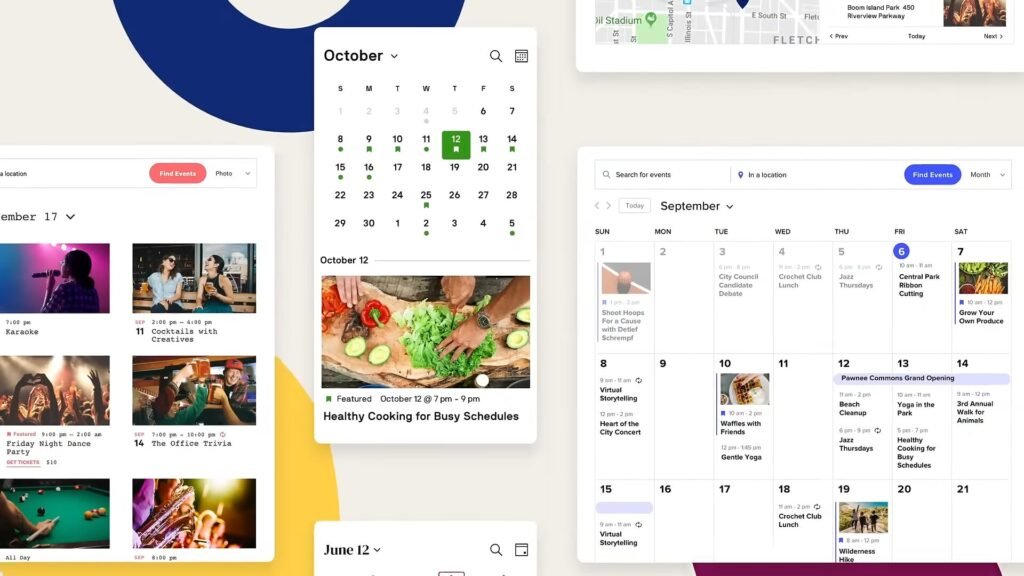
You know that friend who’s not the most exciting person in the world but is always there when you need them? That’s The Events Calendar. I’ve been using this plugin since… man, I don’t even know. Years. And it’s still getting regular updates, still works with every theme I throw at it, and honestly? It just doesn’t break. In my world, that’s gold.
The free version is actually pretty solid. You can create events, add venues and organizers, display everything in a list or monthly calendar view. Last year I set this up for a community arts center, and they’re running like 200+ events a year on it without any issues.
Here’s what I love: It works with everything. Every theme, every page builder – I use Elementor a lot, and the integration is seamless. There’s also this huge library of add-ons because it’s been around forever. Need something specific? Somebody’s probably built it.
The annoying part: Want your yoga class to repeat every Tuesday? That’s a pro feature. Want a week view or map view? Also pro. And the default design is… functional. Let’s call it functional. I usually spend an hour customizing the CSS because otherwise, it looks pretty bland.
But here’s the thing – it’s stable. I’ve never had it break on me during a critical moment. When a client needs something reliable and I need to sleep at night, this is what I use.
My advice: Start with the free version. Seriously, just try it. Most people don’t actually need the pro features they think they need. And if you do? Upgrade later. No rush.
Plugin 02: Modern Events Calendar: The Pretty One That Actually Works
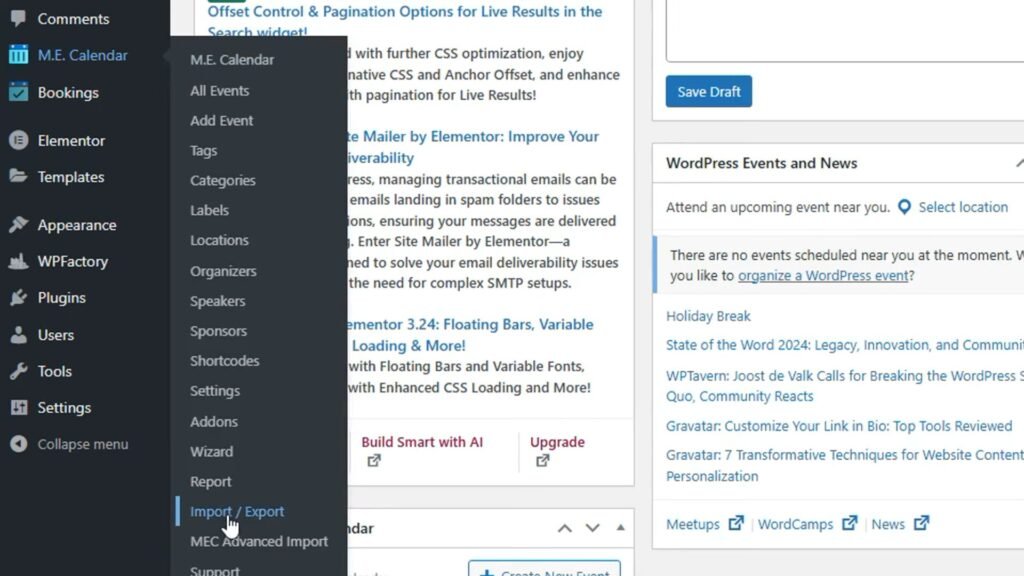
Okay, I’ll admit it – I judged this plugin by its name at first. “Modern Events Calendar” sounded like marketing hype, you know? Like when someone names their restaurant “World’s Best Pizza” and you’re immediately skeptical. But then I actually used it, and… wow. This thing is gorgeous.
I was building a site for this boutique hotel that hosts events, and the owner kept sending me screenshots of competitors’ sites being like, “Can we make it look like THIS?” And I’m usually like, “Sure, give me three days and a lot of custom CSS.” But with Modern Events Calendar? It looked amazing right out of the box. I literally just installed it, picked a template, and the owner was happy. That never happens.
What’s impressive: Even the free version has recurring events, multiple layout options, and built-in search filters that don’t look terrible. The paid version adds booking and ticketing, which worked great for their hybrid events.
The catch (there’s always a catch): This plugin is heavy. Like, feature-heavy, which means it can slow down cheaper hosting. I noticed it on a client’s shared hosting plan – pages were loading a bit slower. After I moved them to better hosting, problem solved, but it’s something to watch.
Also, the backend has SO many options. Which is great if you love customization, but if you just want something simple, it can feel overwhelming at first.
When I use it: Client sites where design really matters. Creative agencies, event venues, anyone in the visual/creative space. If the calendar is part of your brand experience and not just a utility, this is your plugin.
Plugin 03: WP Event Manager: The Modular Genius
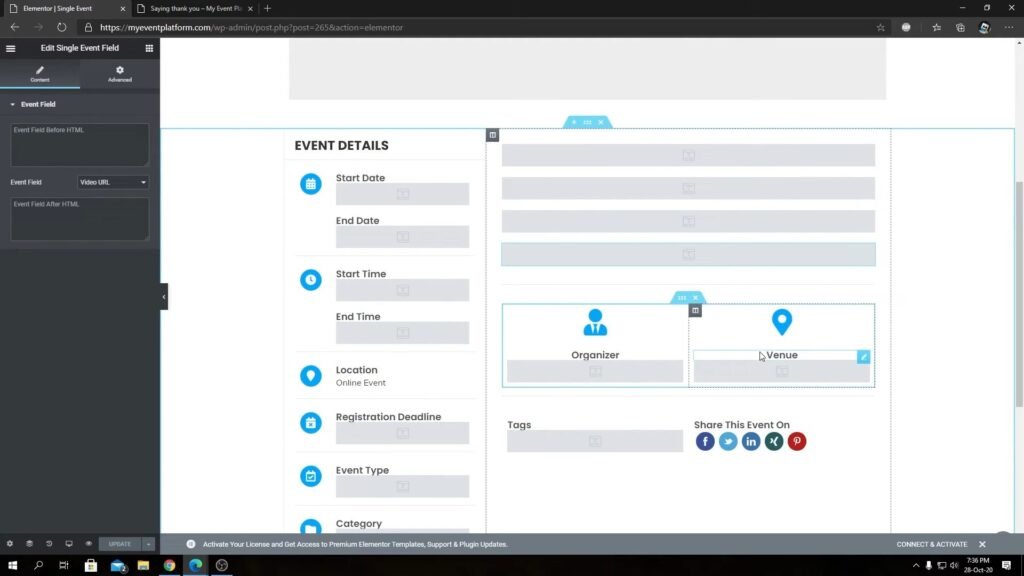
This one’s different, and I mean that in a good way. Instead of giving you this massive plugin with 50 features you’ll never use (and charging you for all of them), WP Event Manager gives you a lightweight core. Then you buy add-ons for only the features you actually need. It’s like… WordPress plugin IKEA? You build exactly what you want.
I used this for a site where people submit their own events – kind of like a community marketplace thing. The front-end submission feature worked perfectly, and the whole site stayed fast even with hundreds of events.
Why it’s cool: Performance is fantastic because you’re not loading a bunch of code you don’t use. And it works incredibly well with page builders. I built an entire event directory in Elementor in like 20 minutes, which is basically a personal record.
The reality: Each feature costs money. Calendar views? Add-on. Bookings? Add-on. Ticketing? Add-on. If you need a lot of features, the costs add up. And setup takes longer because you’re installing multiple pieces.
Perfect for: Freelancers and agencies managing multiple sites. If every client needs something slightly different, this modular approach is actually brilliant. You’re not paying for features client A needs when building client B’s site.
Plugin 04: Events Manager: The One Nobody Talks About (But Should)
Can we talk about how underrated this plugin is? Like, seriously underrated. I almost skipped testing this one because the name is so generic. “Events Manager.” That’s like naming your band “The Band” – oh wait, someone did that. Anyway.
So I installed it expecting nothing special, and then I see it includes ticketing and registration in the FREE version. I literally went back and checked three times because I thought I was missing something. Nope. It’s actually free.
Why this is huge: Most plugins charge you separately for booking features. I’ve had clients spend $200+ on booking add-ons alone. Events Manager just… includes it. They also have Google Maps integration, recurring events, multi-day events – all free.
I used this for a local tech conference last fall. Managing RSVPs, tracking attendance, sending confirmation emails – all worked smoothly. The organizer literally texted me after the event like, “That was so easy, what did you do differently?” Nothing. I just picked the right plugin.
The honest drawback: It’s not winning beauty contests. The default layouts look pretty basic, kinda dated. I spent some time styling them so they didn’t look like a 2015 WordPress site. And some advanced features like custom registration forms or discount codes are in the pro version.
Use this when: You need booking or registration features from day one and you’re working with a tight budget. Don’t let the basic design fool you – this plugin is a workhorse.
Plugin 05: My Calendar: For People Who Like to Tinker (Like Me)
Full transparency: this plugin isn’t for everyone. The interface looks old, setup isn’t intuitive, and if you’re not comfortable with shortcodes and templates, you might hate it. But if you’re like me and you want control over every little detail? This thing is incredible.
I used My Calendar for a nonprofit running multiple programs – after-school stuff, adult classes, community events. They needed separate calendars for each department with different permission levels. Most plugins couldn’t handle that complexity. My Calendar did it without breaking a sweat.
What makes it special: You can customize literally everything. Multiple calendars, complex recurring patterns, front-end submissions with specific rules, accessibility features – it’s all there. The pro version has multi-site support and permission systems I haven’t seen anywhere else.
The learning curve: Yeah, it’s steep. I spent a couple hours reading documentation and testing things before I felt comfortable with it. The UI feels dated, and you’ll need to write some custom CSS to make it look modern.
This is for you if: You’re a developer or someone who likes having total control. Or you’re managing something complex that generic solutions can’t handle. The time investment pays off, but it is an investment.
Okay, But Which One Should YOU Actually Pick?
After all this testing and late-night debugging sessions, here’s how I think about it:
Brand new to this? Just go with The Events Calendar or WP Event Manager. Install the free version, add some test events, see how it feels. Don’t overthink it. Both are solid, and you can always switch later if you need to.
Design actually matters for your site? Modern Events Calendar. Yes, you might need better hosting. Yes, there are a lot of settings. But if your calendar is part of your brand and user experience, the polish is worth dealing with the learning curve.
Need booking features yesterday? Events Manager. The free ticketing feature alone is worth it, and I’ve saved clients literally thousands of dollars in separate booking platform fees.
Want to customize everything? My Calendar. Be ready to spend some time learning it, but once you do, you can make it do basically anything.
Real Talk: What I’ve Actually Learned
Here’s something nobody tells you: the same plugin can run completely differently depending on your hosting. I’ve seen Modern Events Calendar fly on good hosting and crawl on cheap shared plans. If events are important to your site, spend the extra $10/month on decent hosting. Trust me on this.
Also, you don’t need every feature. I’ve watched clients obsess over features they literally never use. One guy spent three weeks comparing calendar plugins because one had a feature to track event attendance by zip code. His events are all in one building. He’s never used that feature. Not once.
My process now? I install the free version, add 10-15 test events, click around for 30 minutes, and I know if it’s right. You’ll feel it – either it works for you or it doesn’t.
And please, PLEASE start with free versions. I know the pro versions look tempting with all those features listed, but you probably need like three of them. Save your money until you actually hit a limitation.
The Bottom Line (Because I’ve Been Rambling)
There’s no perfect event plugin. I wish there was. Trust me, my life would be easier. But these five? They’re legitimate. I use them on real client sites. They get updated regularly. They don’t randomly break. And they actually solve problems instead of creating new ones.
Your local yoga studio doesn’t need the same features as a multi-day conference. A community theater has different needs than a university event calendar. That’s okay. Pick the one that matches what YOU actually need, not what some feature comparison chart says you should need.
And hey, if you pick one and it doesn’t work out? Switch. I’ve migrated between event plugins before. It’s annoying but not impossible. Better to switch early than stick with something that’s making your life harder.
Got questions? Or dealing with some weird event calendar situation that’s driving you crazy? Drop a comment. I actually read these, and honestly, I love talking about this stuff. My wife thinks I’m weird, but whatever.
Now if you’ll excuse me, I have a client site where the event times are showing up in the wrong timezone, and I need to figure out why before their next event goes live tomorrow. The glamorous life of a cloud engineer, right?