AnduinOS Review: Linux For Windows Users That Actually Works
So look, I just spent like three weeks actually using AnduinOS and I gotta tell you, I wasn’t expecting it to be any good. I’m Likhon Hussain and I work at HostGet Cloud Computing as a Senior Operations Executive. I deal with cloud stuff, AI infrastructure, SaaS systems – that kind of technical work. So when I decided to check out AnduinOS, I wasn’t just looking at pretty screenshots. I wanted to know if this thing actually works.
My first reaction when I heard about it? I was like whatever, here we go again. Another Linux distro trying to look like Windows. I’ve seen this movie before and it usually ends with a broken, abandoned project that looked cool for like two weeks. So yeah, I was skeptical as hell when I decided to give it a shot. But then I found out who made it and that changed things.
Who Actually Built This Thing
Turns out it was made by someone who actually worked at Microsoft. Not some college kid in his dorm room. An actual Microsoft employee. This person left Microsoft this year when they did all those layoffs. That really interested me because it’s rare to see someone from inside Microsoft building their own Linux distro.
What got me thinking is – this person knows Windows from the inside. They understand how Microsoft designs things, how Windows works, what people expect from it. And they also decided to switch to Linux. So they built a bridge basically. Something that lets Windows people understand Linux without freaking out.
That’s way different than what most people do. Most people who make “Windows-like Linux” either don’t actually know Windows that well, or they don’t really know Linux. But this guy knows both. That matters. The whole thing is built on Ubuntu which was another good sign. They’re not trying to reinvent Linux from scratch or do something crazy. Just Ubuntu as the base and then they customized it. Smart choice.
What Is AnduinOS Actually
Okay so AnduinOS is basically a Linux distro made specifically for people who are thinking about switching from Windows but haven’t done it yet. That’s literally who they built it for. Developers, people who work with computers, people who are kinda familiar with tech but also scared of Linux.
They’re not trying to trick you into thinking it’s Windows. They’re not pretending. What they’re doing is saying okay, we know Windows feels normal to you, we get that. Linux is different but we can make it less scary. We can make it feel kinda familiar even though it’s actually something new.
I think that’s actually the smart way to do it. Because if you make something that looks exactly like Windows and acts exactly like Windows, people assume it IS Windows. And then they get pissed off when something doesn’t work the same way. But if you make something that looks Windows-inspired but clearly its own thing, people’s brains go “oh okay this is different, I need to learn something new.” That’s better for them actually.
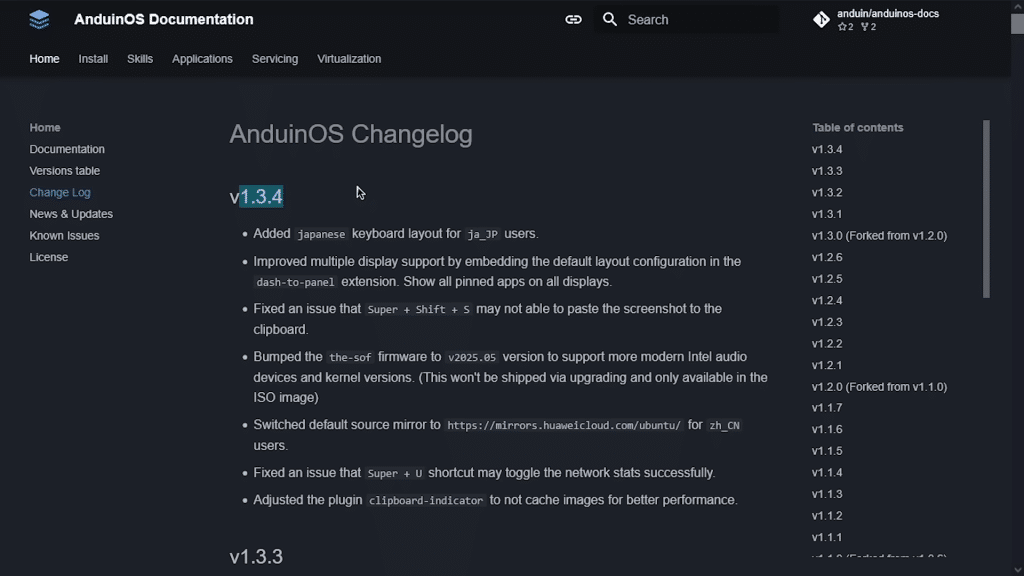
They have two versions – the LTS version which gets updates for longer, and the regular version which gets updates more often. Same thing Ubuntu does. Version 1.3.4 is what I tested, built on Ubuntu 25.04.
The download is like 2GB which is pretty small. Ubuntu is 6GB so AnduinOS is way smaller. The system needs 2GHz processor, 4GB RAM, 20GB hard drive. Nothing crazy at all.
Getting AnduinOS Installed
I wasn’t expecting much from the installation process to be honest. I figured they might have done something weird or confusing. But nope, it was just regular Ubuntu installation. Which meant it was super straightforward.
You type in your name. Computer name. Password. Choose if you want automatic login. Hit next a few times. Then it copies files and boots up. Takes like ten minutes probably. Nothing scary or complicated. If you’ve ever used Windows installer before, this is way simpler actually.
One thing I really liked – they removed Snap by default. Snap is Ubuntu’s containerized package system and it takes up a lot of space and slows things down. You can add it back if you need it. But for someone just starting with Linux? Getting rid of Snap means the system is cleaner and faster. That shows someone was thinking about the actual user experience.
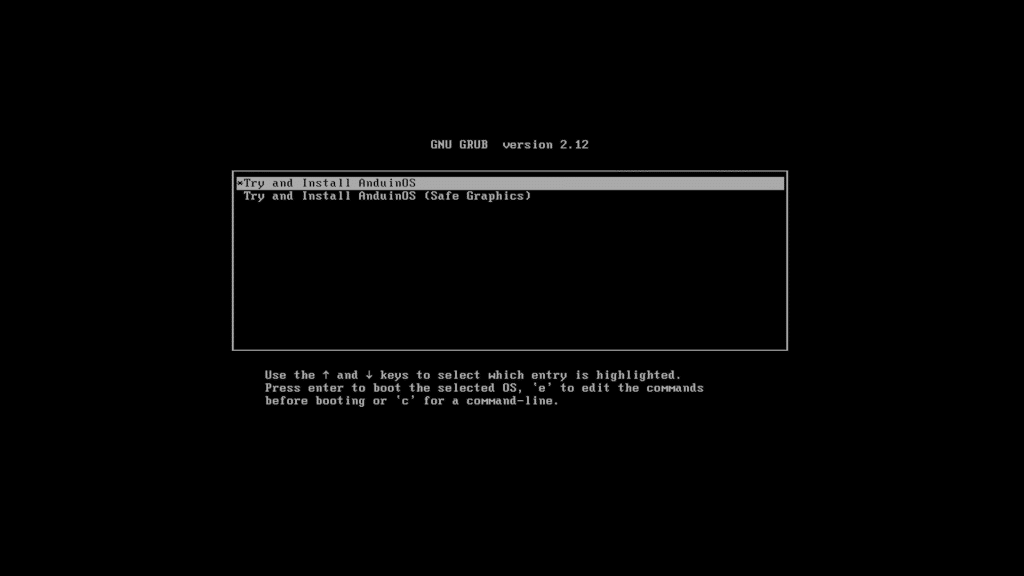
The boot screen has AnduinOS branding on it. Not trying to look like Windows. Just looks like its own thing. Even the cursor is customized. These tiny details matter because they show this wasn’t just slapped together in a weekend.
Using The Desktop – Does It Feel Like Windows
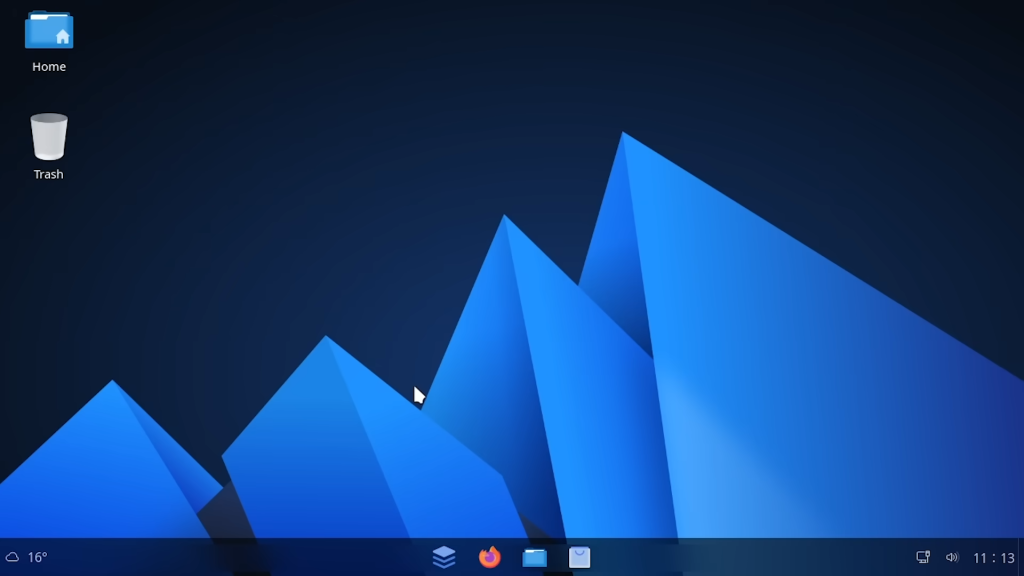
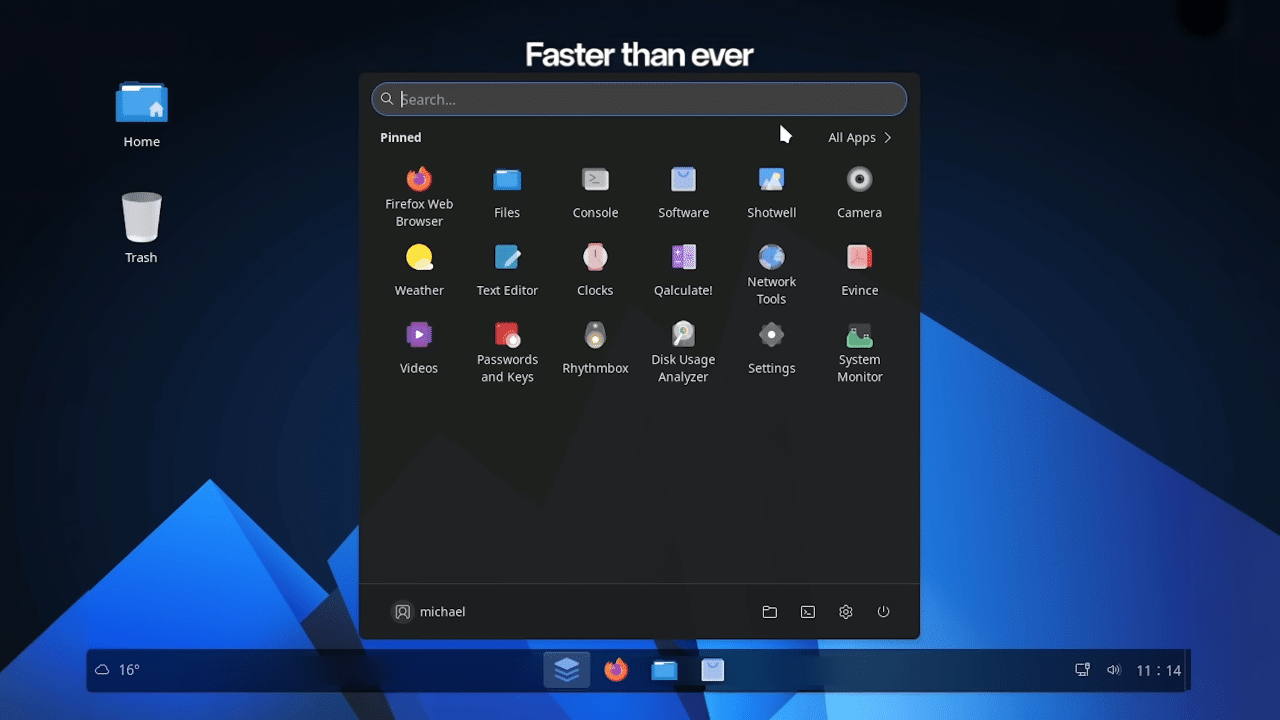
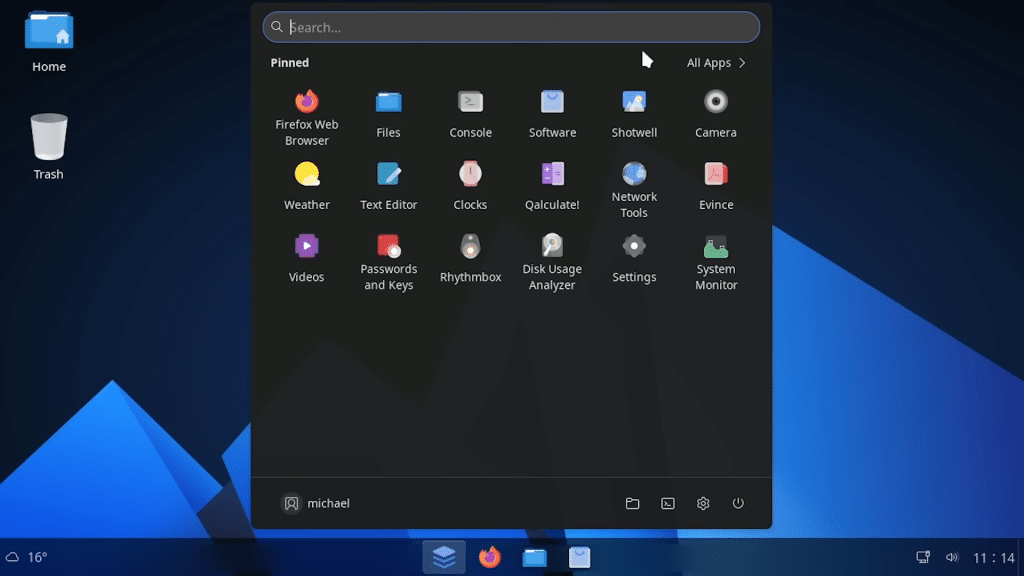
Okay this is the big question everyone asks. Does it feel like Windows? Yeah kind of. You get a taskbar at the bottom with buttons in the middle like Windows 11. Click the menu button and you get a start menu that looks Windows-ish. Your pinned apps are up top. Recents show up as you open stuff. There’s a search box. There’s a weather widget. System tray on the right with notifications and stuff.
Coming from Windows? You’ll find everything basically where you expect it to be. The layout makes sense. You won’t be completely lost.
But it doesn’t feel like Windows. The wallpaper is different. Icons are different. The whole vibe is its own thing. And I actually think that’s way better for someone learning Linux.
Think about it – Linux does stuff different than Windows. Seriously different. Permissions, file systems, how software gets installed, how everything works at a basic level. If you make something that looks like Windows with the same colors and wallpaper and icons, your brain is gonna go “this is Windows.” And then when stuff doesn’t work like Windows, you get angry.
But if it looks kinda familiar but also different, your brain goes “oh this is something else I need to learn.” And that’s the right mindset for learning Linux actually.
Where Did The Theme Come From
I gotta mention this because it says something about the person who made it – they were totally honest about where the look came from. The wallpaper and icons come from a theme called “Windows 11 Fluent Dark for KDE Plasma 6.” They list it right in their credits. They didn’t pretend they designed it all.
That’s the minimum you should do obviously. But a lot of projects don’t even do that. They hide where they got stuff or don’t credit people. But this person was straight up about it. You can tell that matters to them.
They’re using GNOME which is Ubuntu’s default desktop environment. So a lot of standard stuff comes with it. But they added some other apps too.
Apps That Come With It
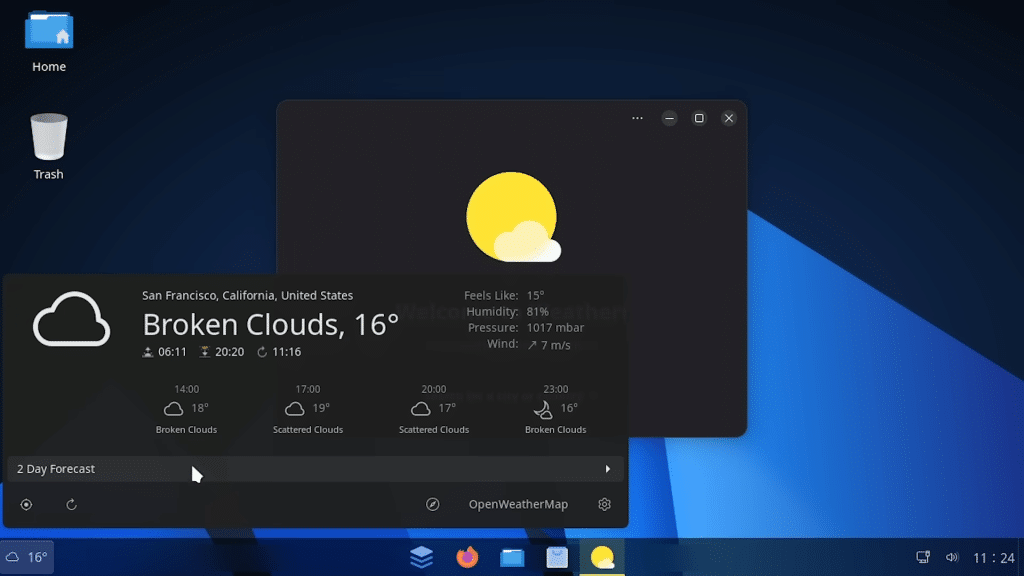
There’s a weather app so you can check the weather on your desktop. A sound recorder if you need to record audio. Network tools for checking connections. They added a calculator app called Calculate. Pretty basic stuff but it’s all useful.
The biggest thing is they included the GNOME App Store which is where you download new software. This is actually really important and here’s why – they didn’t have this in early versions.
Before version 1.3, you had to use the terminal to install software. Which for a Windows person who’s never seen terminal before is terrifying. “sudo apt install whatever” – that’s not beginner friendly at all. So it took them until version 1.3 to figure out that beginners need a graphical app store. That’s actually a pretty big miss for the first releases considering the whole point is to help beginners. But they fixed it so that’s good.
The Help Stuff Isn’t Great
The help app is just the standard Ubuntu help. They didn’t bother customizing it for AnduinOS. So when you’re trying to figure something out and you look at the help, it’s showing you generic Ubuntu stuff that doesn’t always apply to what AnduinOS is doing. That’s frustrating when you’re learning.
If you’re making an OS specifically for beginners, you really should have beginner-friendly documentation. But I guess they’re working on it.
How Does It Actually Perform
From my work in cloud engineering and infrastructure, I pay attention to whether systems are bloated or clean. AnduinOS is clean. Really clean actually.
Boots up fast. Runs smooth. No weird background stuff eating up your CPU. Feels snappy even on older hardware. They made good choices about what to include and what to leave out. You can tell the person who built this actually understands how systems work.
If someone asked me to run this on an old laptop from like 2010? Yeah probably works fine. On a VM? Definitely works fine. It’s not demanding at all.
The Real Question – Will This Keep Getting Supported
Here’s something important to think about – AnduinOS has one main developer and like nine other people helping. Ubuntu has hundreds of developers behind it. Linux Mint has a dedicated team of experienced people.
That’s not necessarily bad. Small teams can make great stuff. But it does mean you gotta wonder – what happens when the main developer gets busy? Or loses interest? Or decides to do something else? How long until updates slow down? How long until new versions come out?
They’ve been pretty consistent this year – four major releases so far. But can that continue? I don’t know. At HostGet where I work, we need systems that we know will keep getting maintained and supported. We need certainty. With AnduinOS you don’t really have that.
But for personal use or learning? It’s not a big deal.
Who Should Actually Use This
So who should actually download and use AnduinOS? If you’re thinking about switching from Windows to Linux but you’re scared, this is probably your best bet right now. It’s way better than other “Linux looks like Windows” projects. Those usually feel janky or weird or desperate. This one feels intentional. There’s no weird payment stuff or “pro versions.” Just free, open source Linux.
If you’re managing servers or running a business? Stick with Ubuntu or Linux Mint. Bigger community, more people maintaining it, you know it’ll get support. You need that stability.
If you want to try Linux without committing fully? Perfect. Run it on a USB stick or in a virtual machine. Use it for a few weeks. Learn how Linux actually works. Then decide if you wanna stick with it or switch to something else.
If you’re a developer learning Linux? Yeah this is a good choice. Familiar enough that you’re not constantly frustrated. But real Linux so you’re actually learning real Linux.
What I Actually Think
After spending real time with this, I think AnduinOS is pretty legit. It’s one of the few “Linux for Windows people” projects that actually feels like it was made by someone who knows what they’re doing. Not half-baked. Not desperate. Just thoughtful.
Is it perfect? No. Documentation sucks. They took too long to add the app store. It’s a small team. But for what it’s trying to do – help scared Windows people understand Linux – it actually does that.
The fact that it’s maintained by someone from inside Microsoft is interesting too. This person gets both sides. They could probably be making a lot of money at Microsoft but they left to work on open source Linux instead. That tells you something about their priorities.
Just Try It
Honestly? Just download it. Grab the ISO, throw it on a USB drive, or spin it up in a virtual machine. Spend a Saturday afternoon with it. See how it feels. See if it helps you understand Linux.
Worst case you lose a few hours and maybe learn something. Best case you find the Linux distro that makes you finally feel comfortable switching from Windows. That’s worth trying out right?
Go grab it and see what you think. I’d actually like to hear from people who test this thing. The community is small right now so feedback matters.