
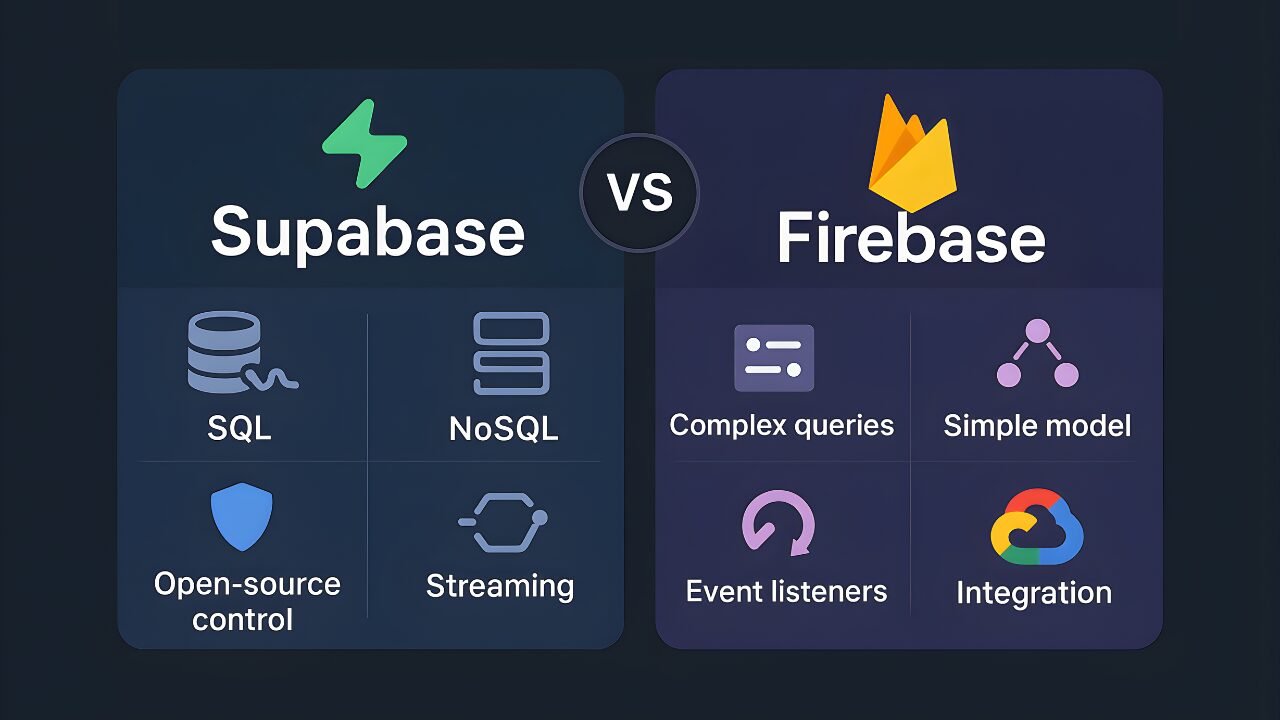
Supabase vs Firebase: Which Backend Should You Choose?
I get asked this question at least once a week. Someone will reach out and say, “Likhon, I’m building this project and I’m not sure if I should go with Firebase or Supabase.” And honestly, it’s not a question with a simple answer.
Both are good. Both are popular. Both can work. But they’re fundamentally different in how they approach backend infrastructure, and that matters a lot for your wallet and your sanity down the road.
I’ve been working in cloud infrastructure and backend systems for years now at HostGet, and I’ve seen teams succeed with both platforms and struggle with both platforms. The difference isn’t about which one is objectively better. It’s about which one fits what you’re actually trying to build.
Let me share what I’ve learned. I’m going to walk you through how these platforms actually work, where they differ, and most importantly, how to figure out which one makes sense for your specific situation.
About Firebase
Firebase is owned by Google. They bought the company back in 2015, and it’s become the most widely used Backend-as-a-Service platform in the world. When you choose Firebase, you’re essentially saying to Google, “You handle my backend infrastructure. I just want to focus on my application.”
I’ve worked with Firebase on multiple projects, and the appeal is genuinely easy to see. You sign up for an account, and boom, you have a database, user authentication, file storage, and hosting all ready to go. No servers to spin up. No databases to configure. No DevOps headaches. You can have a working backend in literally minutes.
The database that Firebase uses is called Firestore. It’s a NoSQL database, which is a different approach from traditional SQL databases. Think of it like filing cabinets instead of spreadsheets. You create collections, and inside those collections you put documents. Each document can have its own structure. This flexibility is actually a big part of why Firebase is so easy to get started with.
When you’re building a mobile app or working on a startup MVP, Firebase is genuinely fast. I’ve seen teams get from zero to a working product in days that would have taken weeks with traditional backend infrastructure. That’s not hype. That’s real.
The catch is that this simplicity comes with some limitations. As your application gets more complex, you start to feel the constraints of how Firestore works. But for many projects, Firebase is absolutely fine.
What Supabase Brings to the Table
Supabase is newer. It started as an open source project a few years ago and was built specifically as an alternative to Firebase. The key difference that makes Supabase special is that it uses PostgreSQL instead of a custom NoSQL database.
I first got interested in Supabase when I was working with a client who had complex data relationships. They were building a project management tool with users, projects, tasks, team members, and lots of connections between these things. Firebase felt really awkward for what they needed to do. We kept running into problems with how Firestore handles queries and relationships.
Then we looked at Supabase. They could write real SQL queries. They could join tables together. They could do complex filtering and sorting. It felt natural and straightforward. That’s when I realized how big of a difference the database choice really makes.
PostgreSQL is a relational database that has been around for decades. Major companies like Netflix, Spotify, and Instagram use PostgreSQL to power their applications. It’s battle tested. It’s powerful. And it’s what Supabase is built on.
The interesting thing about Supabase is that your database isn’t locked into their platform. It’s just PostgreSQL. If you ever wanted to leave Supabase and use a different provider, you could. Your database is standard. It’s not proprietary. This matters to some teams, especially larger organizations that are concerned about vendor lock in.
The Database Difference Actually Matters
Let me explain why the database choice is so important because this is really the core difference between these two platforms.
Firebase uses NoSQL, which means your data doesn’t need to fit into a rigid structure. You can have some documents with different fields than other documents in the same collection. This flexibility sounds good, and it is good for certain types of applications. But it comes with tradeoffs.
When you need to query your data in complex ways, NoSQL gets messy. Let’s say you need to find all users who signed up in the last 30 days, AND who purchased a product, AND who are located in a specific region. In SQL, that’s one query. One simple request to the database. You get back exactly what you asked for.
In Firestore, you can’t do that in one query. You’d have to query multiple times and do additional filtering in your application code. It gets complicated. The queries become harder to write and harder to optimize. Your application code becomes more complex. You’re moving processing that should happen in the database out to your application.
Supabase uses PostgreSQL, which is a relational database. You have tables. You have relationships between tables. You write SQL queries. This is how databases have worked for a long time, and there’s a reason. SQL is powerful and elegant for querying complex data.
But PostgreSQL does require you to think about your data structure upfront. You need to design your tables before you start storing data. You need to decide what columns each table has. This isn’t a limitation for most real applications because proper data design is actually a good thing. It forces you to think clearly about what you’re building.
Let’s Talk About Money
This is the part that actually drives a lot of real world decisions. I’ve seen teams make their platform choice based purely on cost, and honestly, that’s not wrong. Cost matters.
Firebase charges you for what you use. You pay for database reads, database writes, storage, and bandwidth. The pricing seems simple and fair at first. You only pay for what you actually use. But here’s what happens in practice.
A feature you didn’t expect to generate a lot of database calls ends up being heavier than you thought. Or your application gets more traffic than you anticipated. Or a bug somewhere causes extra reads. Your bill climbs. I had a conversation with a developer who saw their Firebase bill jump from eighty dollars a month to four hundred dollars a month after they launched a new feature. They had no idea that feature was going to hit the database so hard.
The unpredictability of Firebase costs is a real issue, especially if you’re bootstrapping something or you’re managing costs carefully.
Supabase has a different pricing model. You pay a base fee for the plan you’re on, and then you pay for usage above what your plan includes. The advantage here is predictability. You know what your base cost is going to be. If you use more resources, you know exactly how much that costs. There’s no surprise at the end of the month.
Let me give you real numbers from a project I worked on. This was a medium sized SaaS application with around five thousand active users.
For Firebase, we were paying roughly one hundred fifty to two hundred dollars a month for database reads and writes. Add on storage and bandwidth, and we were at about one hundred eighty to two hundred fifty dollars a month.
The same application on Supabase? The Pro plan was twenty five dollars a month, plus maybe fifty to seventy five dollars in overages. Total was around seventy five to one hundred dollars a month.
That’s more than a fifty percent difference. Over a year, that’s eighteen hundred dollars saved. And the gap gets wider as you scale up. The bigger your application gets, the more that cost difference matters.
Authentication and User Sign In
Both platforms handle user authentication, but they do it in different ways. Firebase authentication is really straightforward. You can add Google sign in with a few lines of code. Or Facebook. Or Apple. Or GitHub. If your users already have accounts with those services, they just click a button and they’re logged in. It’s smooth and fast. Users appreciate it.
The limitation is that you’re constrained by what Firebase offers. You get the sign in providers that Firebase supports. If you want to build something more custom, if you want to implement your own authentication logic, if you want to build a white label solution where the login experience is completely under your control, Firebase starts to feel restrictive.
Supabase gives you more flexibility. You can write authentication rules directly in the database using something called Row Level Security. This is a PostgreSQL feature that lets you define permission rules at the database level. You can say things like “users can only see their own data” and that rule is enforced by the database itself, not by your application code.
This is more secure and more powerful. If you need custom authentication flows, Supabase lets you build them. You’re not constrained by Supabase’s built in providers.
For most applications, Firebase’s authentication is perfectly fine and it’s faster to set up. For applications that need something more sophisticated, Supabase gives you the flexibility to build what you actually need.
Scaling and Infrastructure
Let me talk about what happens when your application gets bigger and more people start using it.
Firebase handles scaling automatically. Google’s massive infrastructure does the heavy lifting behind the scenes. If your application suddenly gets ten times the traffic, Firebase scales. You don’t do anything. You don’t change any configuration. It just works. This is genuinely valuable. You can focus on building your product instead of worrying about infrastructure.
Supabase also scales well, and it scales to very large scale. PostgreSQL runs some of the world’s largest applications. Companies like Netflix and Spotify run on PostgreSQL at massive scale. But with Supabase, you might need to think about things like query optimization and database indexes as you grow larger. It’s not completely automatic like Firebase.
Here’s the honest truth though. For most applications, this is not a practical concern. Both Firebase and Supabase will handle significant traffic and significant data volumes without problems. You’re not going to run into scaling issues with either platform unless your application becomes genuinely massive. And if your application does become that massive, you’ll have a whole team of people whose job is to optimize infrastructure. This won’t be your problem alone.
Real Time Updates and Live Features
Both platforms support real time functionality. This is the ability to have your application get instant updates when data changes. This is important for features like chat, live notifications, collaborative editing, or any feature where users expect to see changes instantly.
Firebase has real time built into Firestore natively. You set up listeners, and when data changes in the database, your connected clients get updated instantly. It’s straightforward and it works really well for collaborative applications.
Supabase has real time too. You define what triggers real time updates, and clients get notified when those triggers happen. It requires a bit more setup than Firebase, but it’s equally fast and equally capable in practice.
Unless you’re building something with extreme real time requirements, where milliseconds matter, both will feel equally responsive to your users. For most applications, the real time performance of both platforms is fine.
The Developer Experience Question
This is something that matters in ways that are hard to measure but really important.
Firebase is built to be easy for developers. The documentation is extensive. There are tutorials everywhere. The community is huge. If you get stuck, you can probably find the answer on Stack Overflow or in a Firebase community forum. The SDKs work well. Things tend to just work without a lot of configuration.
The tradeoff is that Firebase is opinionated. It has a specific way it wants you to structure your application. If your needs align with Firebase’s opinions, you’re golden. If they don’t, you can feel frustrated.
Supabase appeals to developers who understand databases and want more control. If you’re comfortable with SQL, if you like understanding exactly what’s happening under the hood, Supabase feels natural. You can write raw SQL queries. You know exactly what’s happening. You can optimize things yourself.
The documentation is growing, but it’s not as extensive as Firebase’s yet. The community is smaller but growing fast. If you need a really obscure integration or feature, Firebase is more likely to have it ready made.
For a developer who understands databases, Supabase is genuinely enjoyable to work with. For a developer who has limited database experience, Firebase is easier to get started with.
When Firebase Is The Right Choice
I recommend Firebase to clients in these situations:
First, if you’re building a mobile app and speed is critical. The iOS and Android SDKs for Firebase are really well designed. They integrate smoothly with mobile apps. You can build a mobile app backend incredibly fast.
Second, if your team is small and backend expertise is limited. If nobody on your team is comfortable with databases, if DevOps and infrastructure scares you, Firebase handles everything. You can focus purely on your application code.
Third, if you’re still figuring out what your data model should be. If you’re in exploration mode with your data structure, if you’re iterating on what your application actually needs, Firebase’s flexibility is valuable. You can change your data structure without migrations.
Fourth, if you want someone else to handle all the infrastructure. If the idea of managing databases or thinking about scaling worries you, Firebase takes that off your plate. Google handles all of it.
Fifth, if you’re building an MVP or prototype. If you’re trying to validate an idea quickly, Firebase lets you move extremely fast. You can get a working application up in days.
Finally, if analytics are important to your application. Firebase has excellent built in analytics that integrate with your backend. If you need to understand user behavior deeply, Firebase’s analytics suite is really good.
When Supabase Makes More Sense
I recommend Supabase to clients in these situations:
First, if your application has relational data. If you’re building something with users and posts and comments and tags and all these relationships between entities, if you need to query across these relationships, Supabase shines.
Second, if cost matters. If you’re bootstrapping something or you’re managing costs carefully, Supabase is usually more economical, especially as you scale.
Third, if you want to avoid vendor lock in. If you like the idea that you could theoretically move to a different provider down the road, Supabase using standard PostgreSQL means you’re not locked in.
Fourth, if you need fine grained permission controls. Row Level Security in PostgreSQL is powerful and secure. You can define permissions at the database level. This is more secure than application level permissions.
Fifth, if you’re comfortable with databases. If you understand SQL and you actually enjoy working with databases, Supabase is a pleasure to work with.
Sixth, if open source matters to your organization. Supabase is open source. The code is public. If that’s important to you or your company, Supabase aligns with those values.
Finally, if you need custom authentication flows. If you need flexibility that goes beyond standard sign in buttons, Supabase gives you that flexibility.
The Real Cost Breakdown
Let me give you a realistic example. Say you’re building an application with ten thousand daily active users. Your usage pattern is about five hundred thousand database reads per day and one hundred thousand database writes per day. You need fifty gigabytes of storage. You have moderate bandwidth usage.
On Firebase, those reads at typical Firebase pricing would be around three dollars per day. The writes would be around ninety cents per day. Storage would be about nine dollars per month. Your monthly cost would be somewhere in the one hundred fifty to two hundred dollar range.
On Supabase with the Pro plan, you’d pay twenty five dollars a month base price. Then with your usage level, you’d probably have another fifty to seventy five dollars in overage costs. So you’re at around seventy five to one hundred dollars per month.
That’s a significant difference. And this difference grows as you scale. The bigger you get, the more you save with Supabase.
What If You Pick Wrong
People worry about this. What if I choose the wrong platform and I’m stuck? Let’s say you pick Firebase and later you want to switch to Supabase. It’s doable but it requires work. You export your data from Firebase.
You design a PostgreSQL schema that can hold that data. You import the data. You rewrite all your application code to use Supabase’s SDKs instead of Firebase’s SDKs. For a small application, this might take a week of work. For a larger application, it could take months.
The other direction is harder. Moving from Supabase to Firebase means converting relational data to a document structure. That’s more complex.
But here’s the truth. This shouldn’t be your main decision factor. You’re not making a permanent commitment. You’re making the best choice you can with the information you have right now. If circumstances change and you need to migrate, you can. It’s not ideal, but it’s possible.
The Future of Both Platforms
Firebase has Google’s resources and money behind it. They’re not going anywhere. Google will continue building features, improving the platform, and supporting it for many years to come.
Supabase is growing fast. I’m seeing it show up more and more in production applications. The team ships new features regularly. The community is getting stronger. I think in five years, Supabase will have a much bigger market share than it does today.
But both platforms will be around. Neither is risky from a “will this company survive” perspective.
My Honest Opinion
After years of working with both platforms and helping teams make this decision, here’s what I actually believe.
Firebase is the safe choice. It’s proven. It’s been used for years. It’s fast to set up. It works reliably. If you’re not sure what you need, Firebase is solid. You’ll be fine.
Supabase is the smart choice if you’re building something with real complexity or if you care about costs at scale. It gives you more power and more control and more flexibility.
There is no wrong answer here. The right choice is the one that fits your actual project and your actual team and your actual constraints. Don’t pick based on what you think you should pick or what you heard someone else recommend. Pick based on your real situation.
The truth is that the backend platform matters less than you think it does. Your idea matters more. Your execution matters more. Your product matters more. The platform is just a tool.
Build something great. That’s what actually matters.